Windows desktop app
PNG Animator
One transparent PNG in. A looping, alpha-preserving animation out. No timeline, no keyframes, no subscription.
What it does
Motion without a timeline
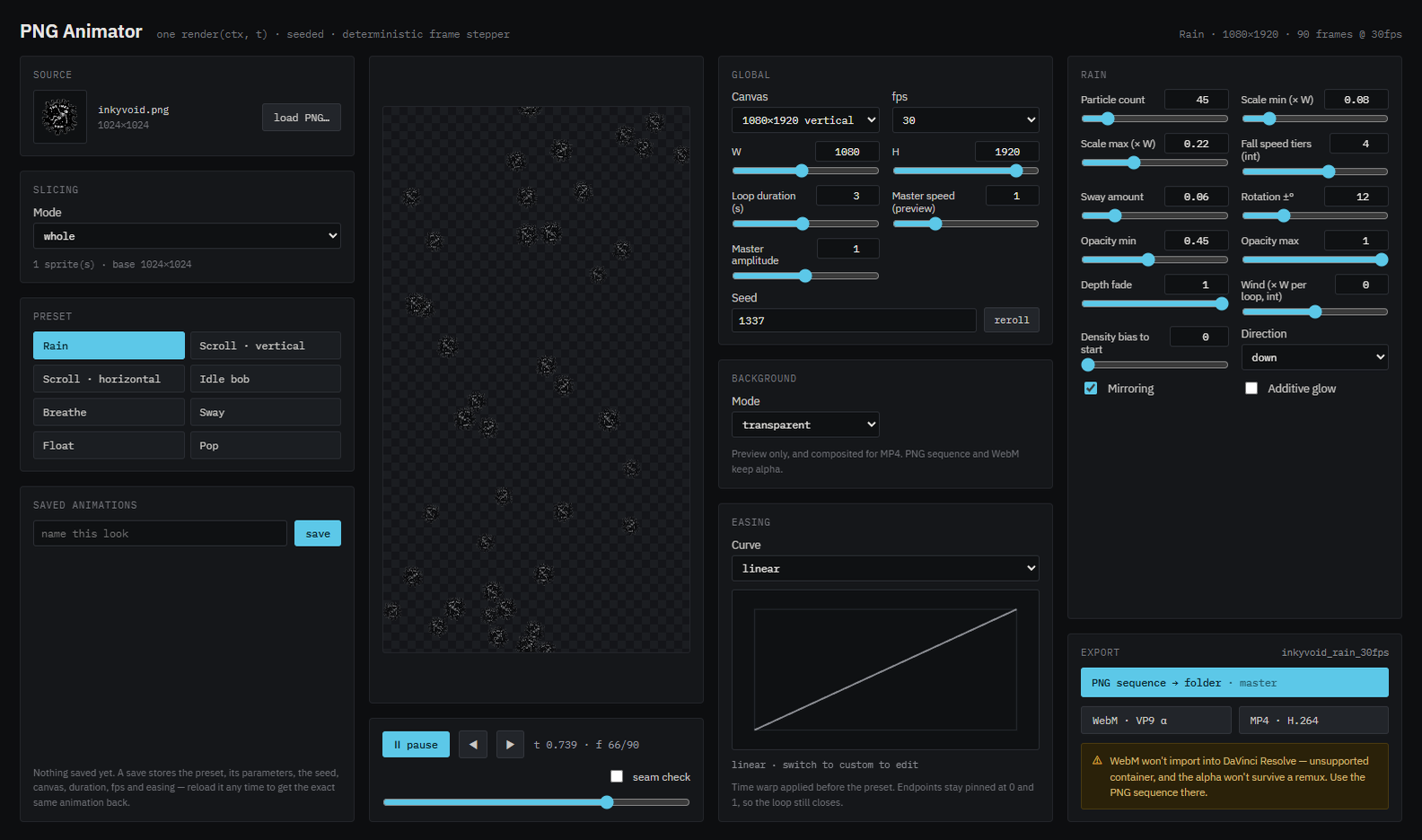
Pick a preset, turn some dials, watch it loop. Every animation is generated from a seed, so the same settings always produce exactly the same result.
Eight motion presets
Rain, vertical and horizontal scroll, idle bob, breathe, sway, float and pop. Each one has its own set of controls rather than a shared generic panel.
Seeded and deterministic
Scatter, rotation and drift come from a seeded generator. Save a look, reload it a month later, and get the identical animation back frame for frame.
Real alpha throughout
The preview, the PNG sequence and the WebM all keep transparency. Nothing is flattened onto a background unless you ask for it.
Slice one image into many
Feed it a sheet and cut it into a grid, or let it detect separate shapes, and the preset animates each piece independently.
Seamless loops
A seam-check toggle shows the wrap point so scrolling backgrounds tile cleanly. It also measures how opaque your edges are and warns you when they won't.
Saved looks
Name a configuration and it's stored locally with its preset, parameters, seed, canvas, duration, fps and easing. Export the JSON to move it elsewhere.
Exporting
Three ways out
| PNG sequence | Numbered frames with full alpha, written straight to a folder you choose. This is the one to use for editing software. |
|---|---|
| WebM · VP9 | A single file that keeps transparency. Good for the web and for OBS. Not for DaVinci Resolve — the container isn't supported and the alpha won't survive a remux. |
| MP4 · H.264 | Flattened onto your chosen background. The universally playable option when you don't need transparency. |
.mov with alpha intact.
The command comes with the real paths already filled in.ffmpeg -framerate 30 -i name_%04d.png \ -c:v prores_ks -profile:v 4444 -pix_fmt yuva444p10le name.mov
Before you download
The honest details
| Platform | Windows 10/11 (64-bit). No macOS or Linux build yet. |
|---|---|
| Install | Per-user installer — no administrator prompt. You choose the folder, and it adds Start Menu and desktop shortcuts. |
| Code signing | The installer is unsigned, so Windows SmartScreen will warn you the first time. Choose More info, then Run anyway. Signing needs a paid certificate. |
| Network | None. It never connects to anything — no telemetry, no accounts, no update check. Your images never leave the machine. |
| Price | Free, and staying that way. |